Apps for Jira Cloud
Berkly Admin Toolkit
Field, scheme and permission audit for Jira Cloud — projects, fields, schemes and access in one place, with a preview before every change.
Runs on Atlassian · Your data stays in your Jira site
Free for up to 10 users · larger sites pay through Atlassian · see current pricing on the Marketplace listing
- Install from the Marketplace (a site admin approves the scopes)
- Open Overview to see the top findings for your site
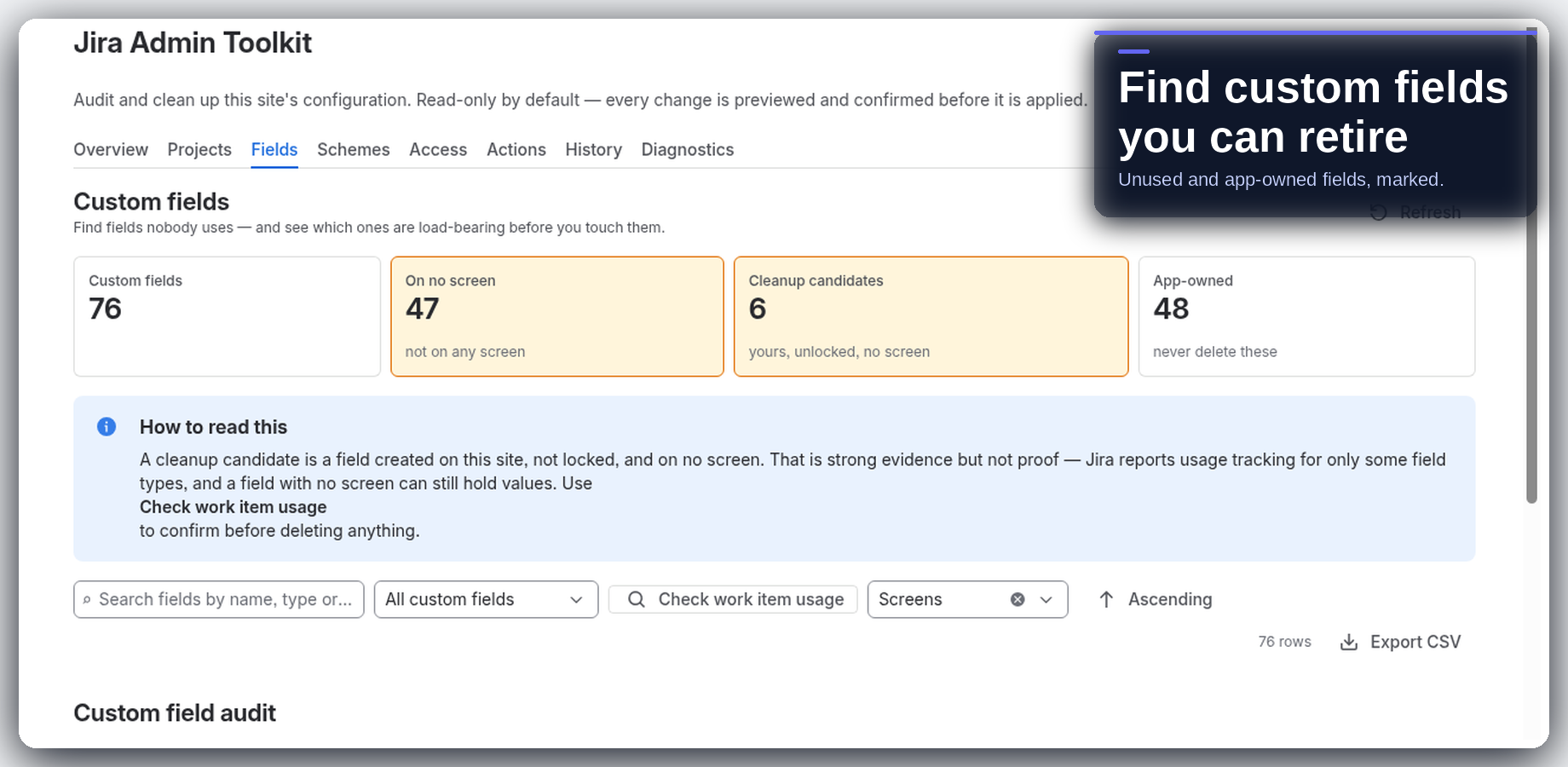
- Open Fields to see custom fields on no screen and cleanup candidates
01 — What it does
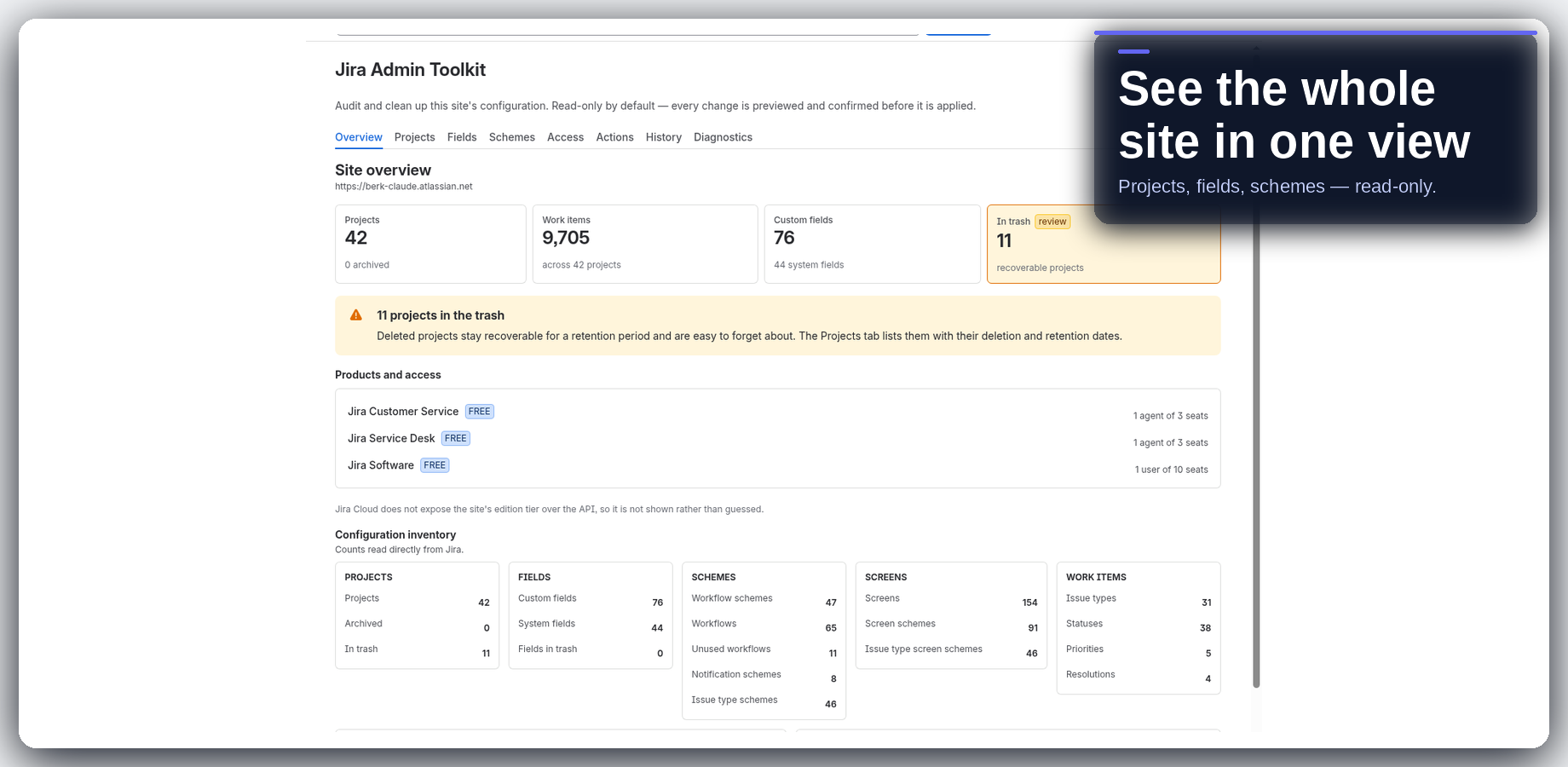
See your whole Jira site in one app
- Overview. Site health at a glance: projects, work items, custom fields, trash, top findings, and a one-click audit report export.
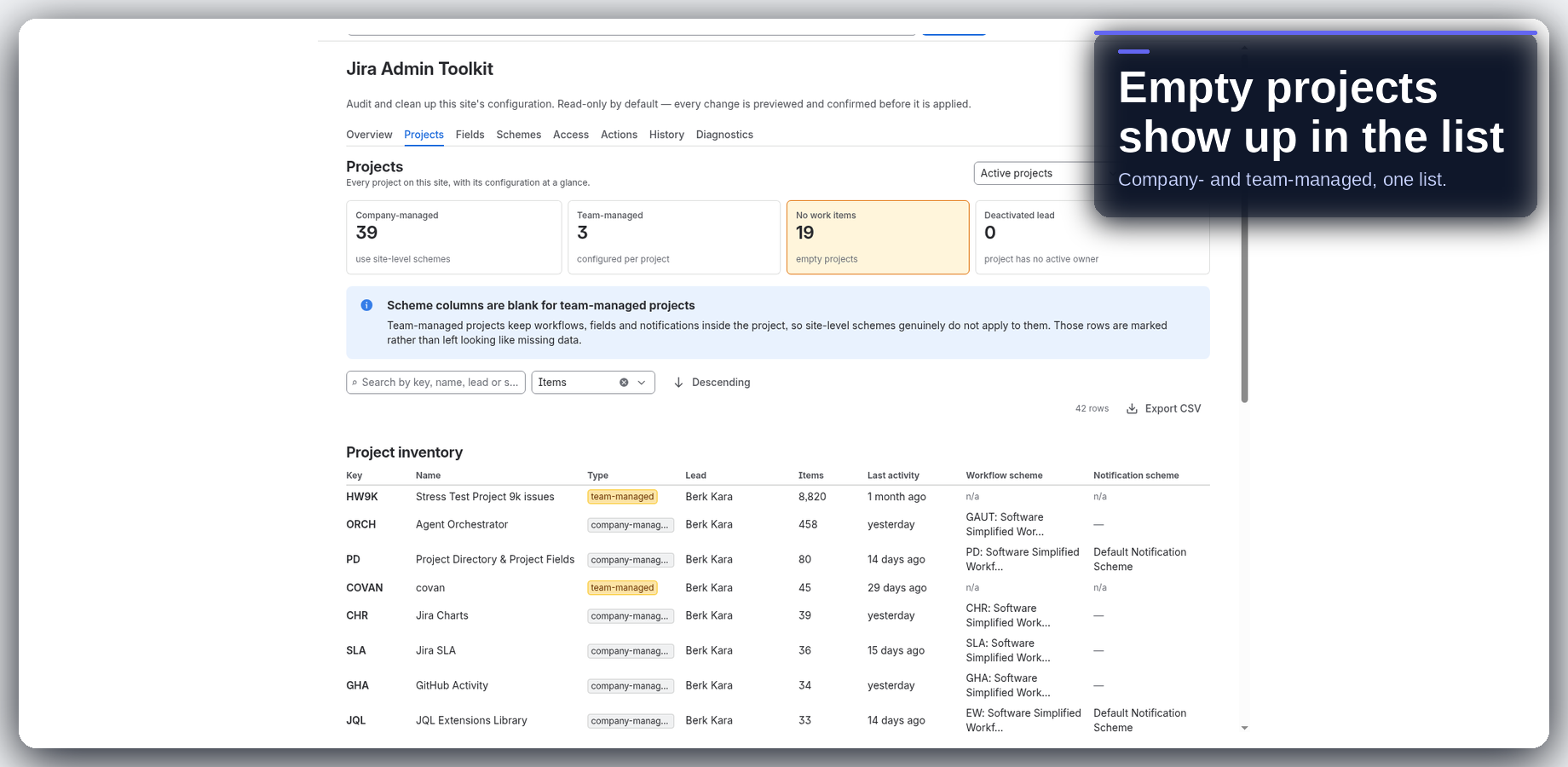
- Projects. Inventory of every project — type, lead, work items, last update, and schemes — with empty and unowned projects called out, plus the recycle bin.
- Fields. Which custom fields sit on no screen, who owns each one, and — on demand — how many work items hold a value.
- Schemes. Workflow, issue type, notification and permission schemes; unused ones first. Team-managed projects are left out of scheme usage so counts stay honest.
- Access. Which groups grant admin access, which groups are empty, and what a permission scheme grants to whom.
- Actions. Bulk changes that work — preview, confirm, apply — plus an explicit list of the ones that do not, and why.
- History. Every change the app has applied, who applied it, and what failed. Searchable and exportable.
- Diagnostics. Every Jira endpoint the app depends on, and whether it works on this site.
- Project summary & work item panel. One project’s schemes, field context and access; the same summary from a work item.
- Safe by default. Seven of the eight admin tabs are read-only. Every write is previewed, confirmed and recorded in History.
02 — Guides
How-to guides
03 — FAQ
Common questions
Is Berkly Admin Toolkit free?
Yes, for up to 10 users. Above 10 users you pay through Atlassian. The pricing tab on the Marketplace has the current numbers.
Will it change my Jira configuration?
Not without you. Seven of the eight tabs are read-only. Every change is previewed, needs an explicit confirm, and is recorded in History.
What does “safe to delete” mean for a custom field?
Zero work items, on no screen, and not locked. If a field does not meet all three, the app does not call it safe.
Does it cover team-managed projects?
Scheme usage leaves team-managed projects out, and the page says so, so the counts stay honest.
What if a tab looks empty?
Open Diagnostics. It checks every endpoint the app uses, so you can tell an empty tab from one the app could not read.
Where does my data go?
The app runs on Atlassian. Your site data stays in your Jira site.
Which Jira does it support?
Jira Cloud only.
How do I get help?
Email info@berkly.nl.
04 — Get it
Bring Berkly Admin Toolkit to your Jira
Try Berkly Admin Toolkit free · ≤10 users
Marketplace listing: Admin Toolkit for Jira. Questions: info@berkly.nl. More apps: all Berkly apps · docs.