Docs · Apps for Jira
JQL Extensions Library
31 JQL functions for overdue, stuck, and stale work — native-speed filters for search, boards, and gadgets on Jira Cloud.
Runs on Atlassian · No data leaves Atlassian
Try free for 30 days · Free for teams ≤10 · then USD 0.45/user/mo via Atlassian
Support · info@berkly.nl01 — How it works
Functions that expand to ordinary JQL
I built JQL Extensions Library so you can write short, memorable filters instead of long native JQL every time. Each function expands to a JQL fragment. Jira’s own index evaluates it under the searcher’s permissions — the same way a hand-written filter would.
There is no external server in the path. The app is Forge on Jira Cloud. Handlers return JQL fragments only; they do not fetch issue lists over the network. That is why it can stay on Atlassian with zero customer-issue egress.
Open Apps → JQL Extensions Library for Try it, Recipes, and the function catalog. Or type a function directly in issue search. For plans, see the Marketplace listing.
02 — Key features
Try it, recipes, and 31 functions
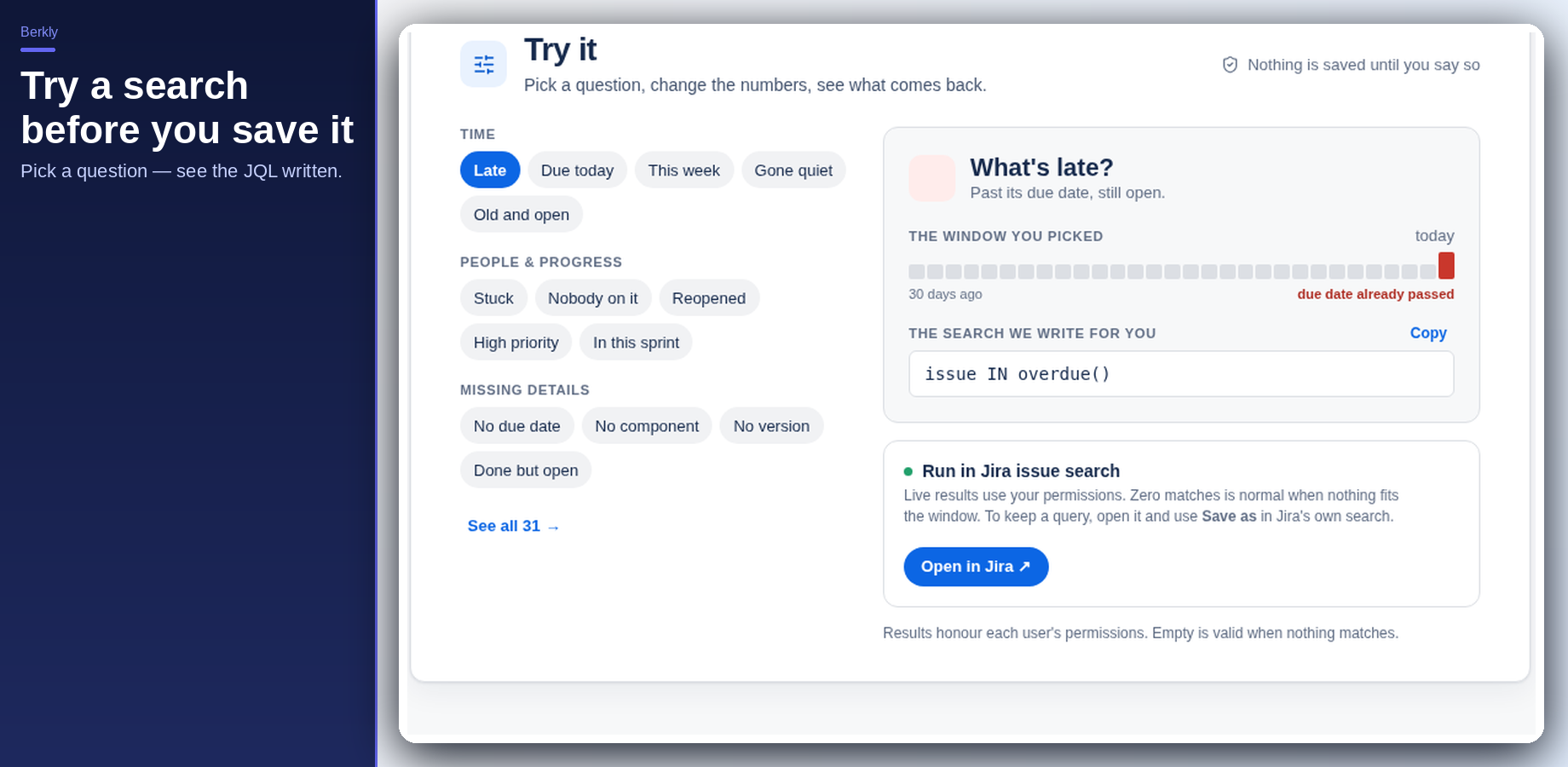
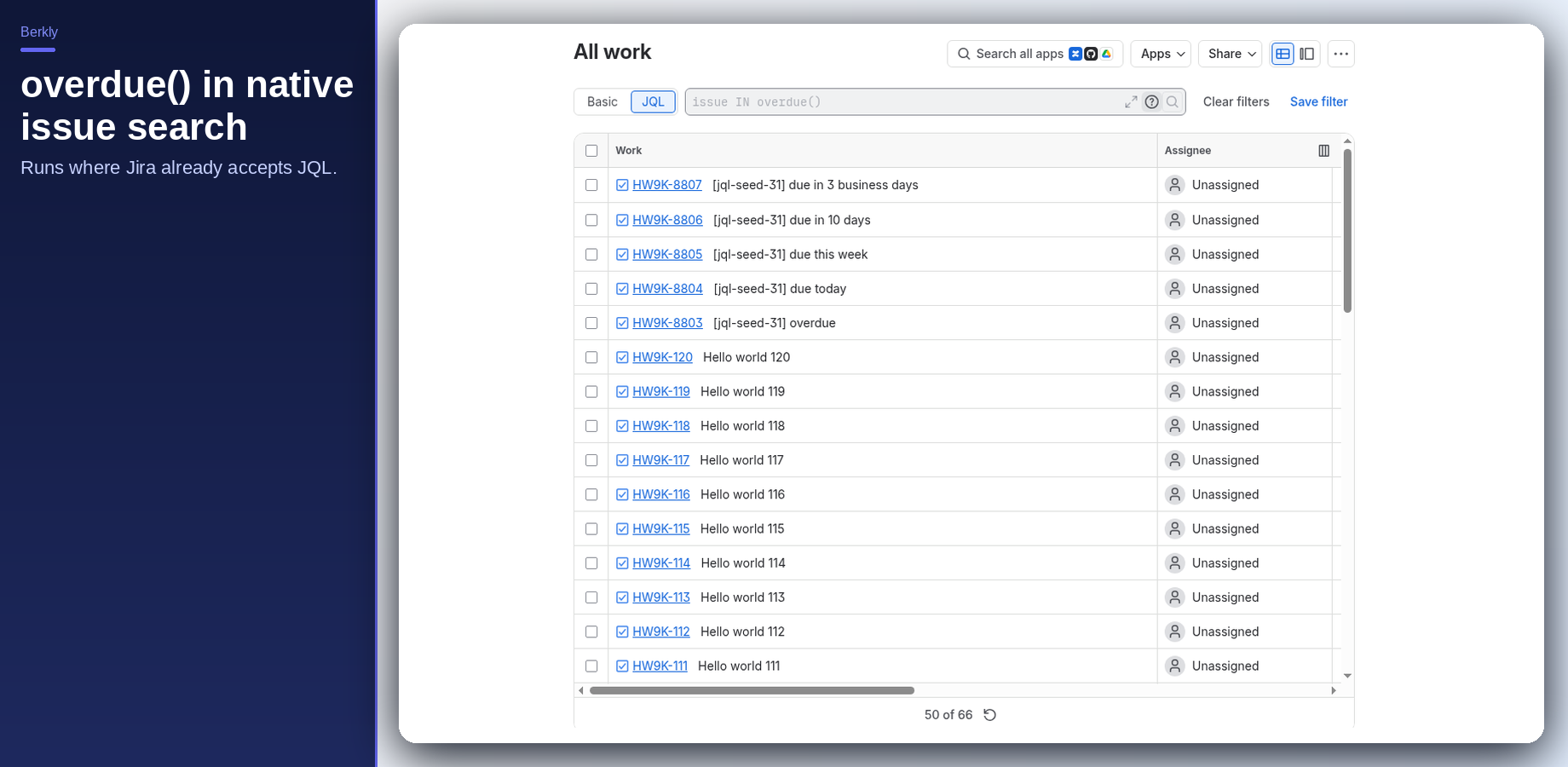
issue IN overdue() before you save anything.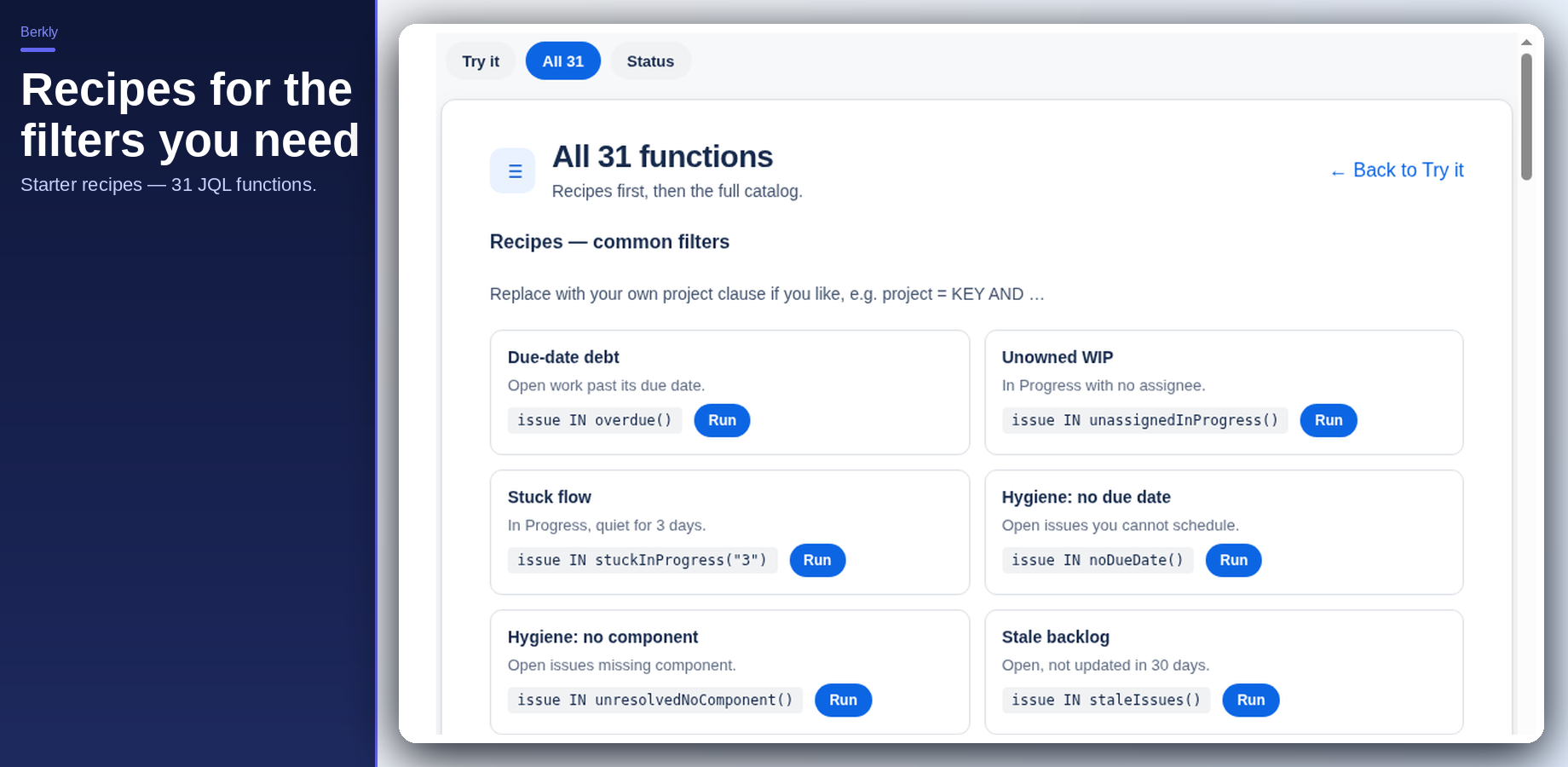
Popular functions
overdue()- Open issues past their due date
stuckInProgress("7")- In Progress with no updates for N days
staleIssues()- Open issues not updated in 30 days
noDueDate()- Open work missing a due date
unresolvedNoComponent()/noFixVersion()- Hygiene filters
issuesUpdatedLastWorkingDay()/weekendIssues()/businessDaysAgo("n")- Business-calendar helpers (shared UTC calendar)
childrenOfIssue("KEY")/linkedByEpic("KEY")- Hierarchy via parent
The in-app catalog lists all 31 functions with examples.
03 — Setup / install
Install from the Atlassian Marketplace
- Open the Atlassian Marketplace listing for JQL Extensions Library (Jira Cloud).
- Choose your site and install. A site admin must approve the scopes.
- Scopes used:
read:jira-work: read work items for the preview and search, as the signed-in user.read:app-data:jira: read the hourly precomputed function results the app stores.write:app-data:jira: save those hourly precomputed results.
- After install, open Apps → JQL Extensions Library to confirm the app page loads (Try it / Recipes / catalog).
Jira Cloud only. No Data Center / Server. No ScriptRunner-style scripting — these are fixed JQL functions.
04 — Usage
Type it where Jira already accepts JQL
- Open issue search (or a board / backlog / gadget filter).
- Switch to JQL if needed.
- Type a function, for example:
issue IN overdue()
issue IN stuckInProgress("7")
issue IN staleIssues()
Quoted string arguments are required where a function takes a parameter (days, issue keys, and similar).
Save the query as a filter, board filter, or dashboard gadget like any other JQL.
Or use Try it / Recipes in the app: pick a question, copy the JQL, or open it in issue search. Nothing is saved until you say so.
Important notes
- Personal “my issues” queries should use native JQL (
assignee = currentUser()…). App functions cannot safely embedcurrentUser()because Jira caches function results site-wide. - Business-day and weekend functions use a shared UTC calendar so every user sees a consistent answer.
- Function results can lag issue changes by up to about one hour (hourly precomputation refresh).
NOT INfollows normal JQL rules (empty fields are not included in negation).
05 — How to test
A five-minute smoke check
- Install check: Apps → JQL Extensions Library opens without error.
- Try it: Pick “what’s late?” (or similar). Confirm the app shows
issue IN overdue()and a simple match window. - Native search: In Filters → View all issues → JQL, run
issue IN overdue(). You should get open work past its due date (or an empty set if nothing is overdue). Permissions match any other filter. - Parameterized function: Run
issue IN stuckInProgress("7"). Confirm quoted args are accepted. - Recipe: From Recipes, press Run on one starter filter and confirm it opens issue search with that JQL.
- Save: Save one query as a filter and reopen it — same results shape as a native filter.
If a function name is unknown, re-check install and wait a minute for Forge registration, then hard-refresh issue search.
06 — Support
Questions land with me
I am Berk Karabacak, an individual developer. Public contact for this app is info@berkly.nl only.
Privacy: berkly.nl/privacy. DPA: berkly.nl/dpa. More app docs: berkly.nl/docs.
Runs on Atlassian · No data leaves Atlassian