Docs · Apps for Jira
Risk Register for Jira
A 5×5 risk register on the project — score probability × impact, keep an audit trail, import CSV, and see a portfolio heat map across projects.
Runs on Atlassian · No data leaves Atlassian
Try free for 30 days · Free for teams ≤10 · then USD 0.45/user/mo via Atlassian
Start here (first 10 minutes): add a few risks on one project, set next-review dates, open the portfolio heat map once — that review cadence is what Free ≤10 teams keep when they grow. Free for teams ≤10 · then USD 0.45/user/mo.
Support · info@berkly.nl01 — How it works
Risks live next to the Jira work
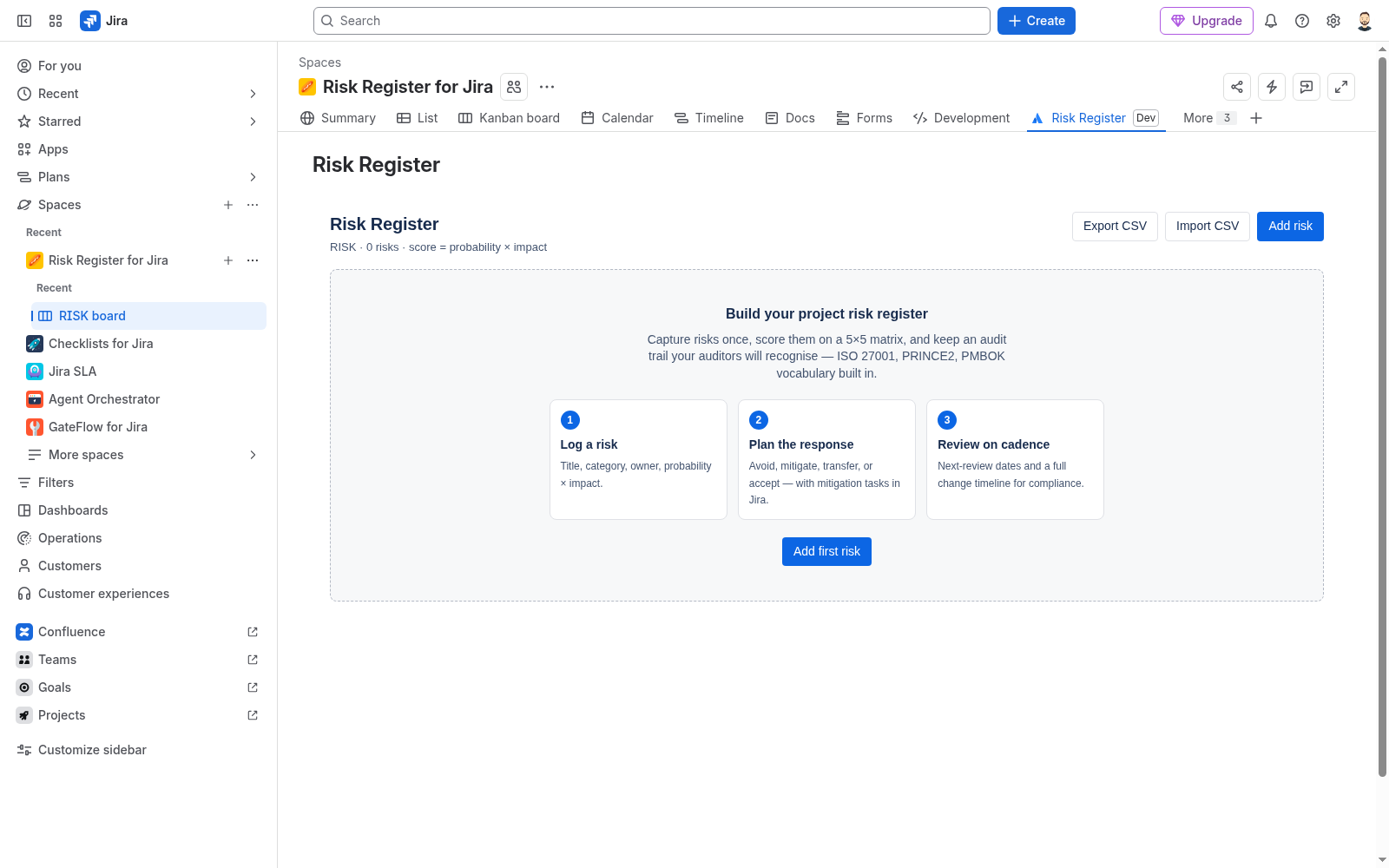
I built Risk Register so you can capture risks once on the project — score them on a 5×5 probability × impact matrix, choose avoid / mitigate / transfer / accept, set a next-review date, and keep an audit trail — without a separate spreadsheet.
Use the project Risk Register for day-to-day capture, the issue panel when a risk belongs with a work item, and the portfolio / global view for a combined heat map across projects you can access. Admins configure shared settings from Risk Register settings.
There is no external server in the path. The app is Forge on Jira Cloud. Scopes: read:jira-work, write:jira-work, read:jira-user (display names for owners/assignees), and storage:app for register records, audit trail, and settings. No permissions.external egress — customer data stays in Atlassian Forge storage / Jira.
02 — Main use cases
When teams open the register
- Project risk log — add risks on the project page, score them, and track response + next review.
- Import an existing list — CSV dry-run then import so you are not retyping a spreadsheet.
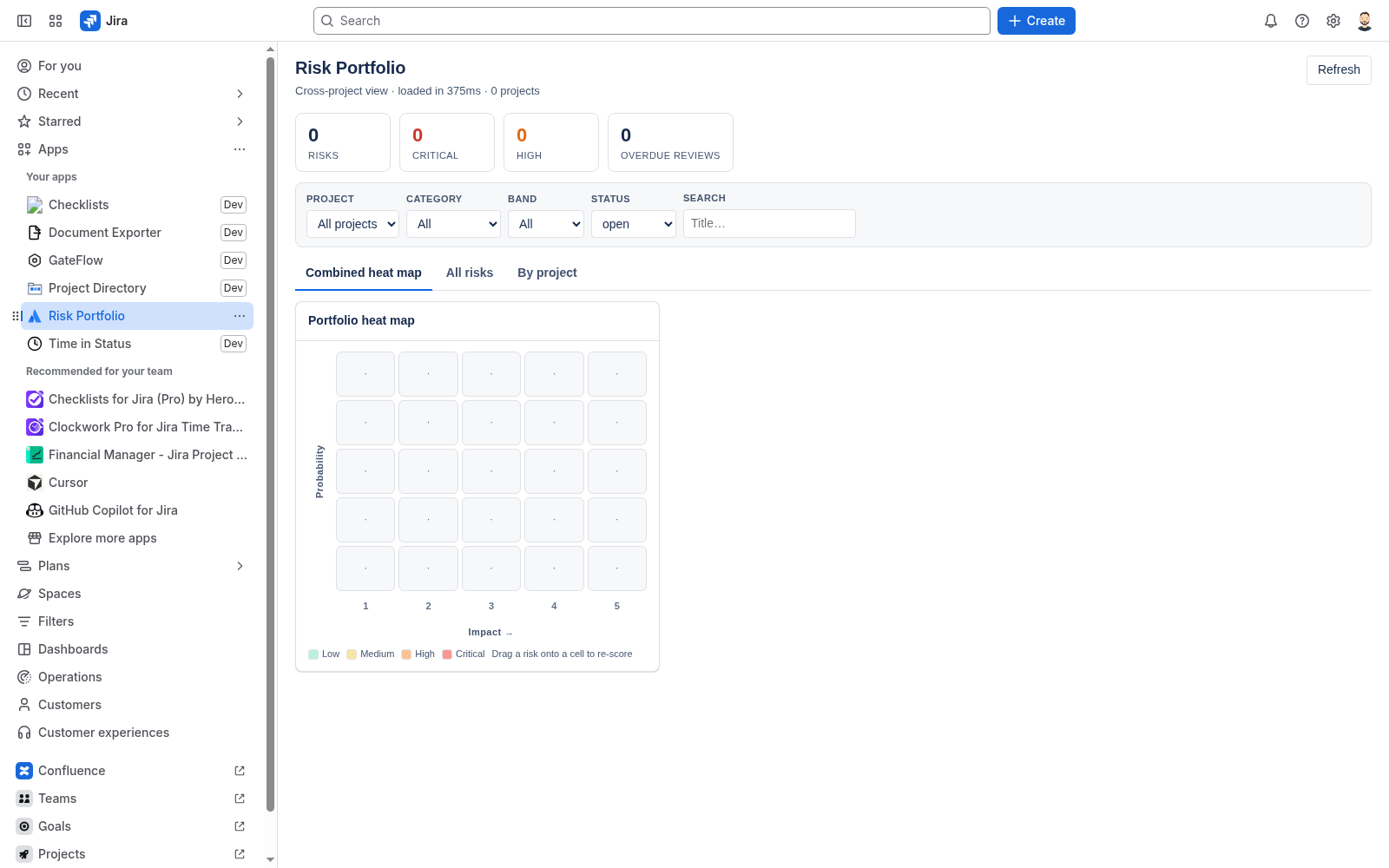
- Portfolio review — open the global 5×5 heat map, filter by category / band / status, drag a risk onto a cell to re-score.
- Work-item context — use the issue panel when a risk should sit next to the Jira work it affects.
03 — Key features
Register, add form, and portfolio map
04 — Setup / install
Install from the Atlassian Marketplace
After Free ≤10 / the trial, paid is USD 0.45/user/mo via Atlassian — billed on the Marketplace like any other Cloud app.
- Open the Atlassian Marketplace listing for Risk Register for Jira (Jira Cloud): https://marketplace.atlassian.com/apps/105833099/try?hosting=cloud.
- Choose your site and install. A site admin must approve the scopes (
read:jira-work,write:jira-work,read:jira-user,storage:app). - Optional: open Apps → Risk Register settings for site-wide defaults.
- Open a project → Apps → Risk Register (or the project app tab). Use guided setup if this is the first register on that project.
Jira Cloud only. No Data Center / Server. Risk records stay in Forge storage on your site — there is no export of customer risk data to my servers.
05 — How to use
Add, score, import, review
- On a project, open Risk Register.
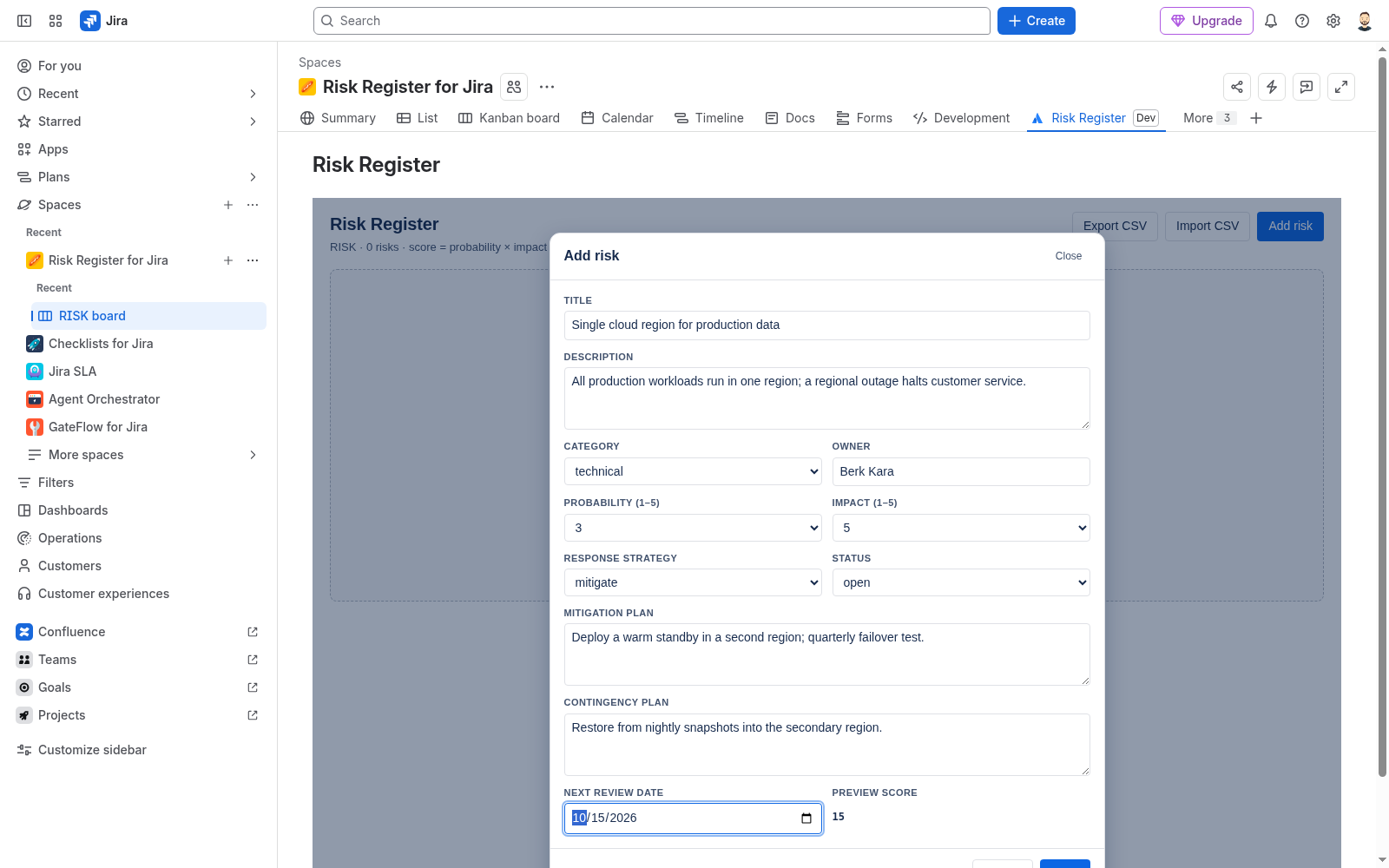
- Click Add risk. Fill title, category, owner, probability (1–5), and impact (1–5). The preview score updates as probability × impact.
- Choose a response (avoid / mitigate / transfer / accept), add mitigation / contingency notes, and set a next-review date.
- To bring an existing list: use Import CSV, run the dry-run, fix any row errors, then import.
- For a cross-project view: open the global / portfolio Risk Register, filter as needed, and drag a risk onto a matrix cell to re-score.
Important notes
- Owner fields expect an Atlassian account the app can resolve via
read:jira-user. - CSV import is safest with a dry-run first — reject rows that fail validation before writing.
- Permissions follow Jira project access; users only see registers for projects they can open.
06 — How to test
A five-minute smoke check
- Install check: project Apps → Risk Register opens without error.
- Add risk: create one risk with probability 3 and impact 5; confirm score 15 and it appears on the register.
- Edit / response: set response to mitigate and a next-review date; save and reopen — values persist.
- CSV (optional): dry-run a small CSV; confirm valid rows preview and invalid rows are flagged.
- Portfolio: open the global heat map and confirm the new risk appears in the expected band.
07 — Support
Questions land with me
I am Berk Karabacak, an individual developer. Public contact for this app is info@berkly.nl only.
Support hours: Monday–Friday, 09:00–18:00 Europe/Istanbul.
Privacy: berkly.nl/privacy. DPA: berkly.nl/dpa. More app docs: berkly.nl/docs.
Runs on Atlassian · No data leaves Atlassian