Docs/Risk Register for Jira

Projects & risk
Risk Register for Jira
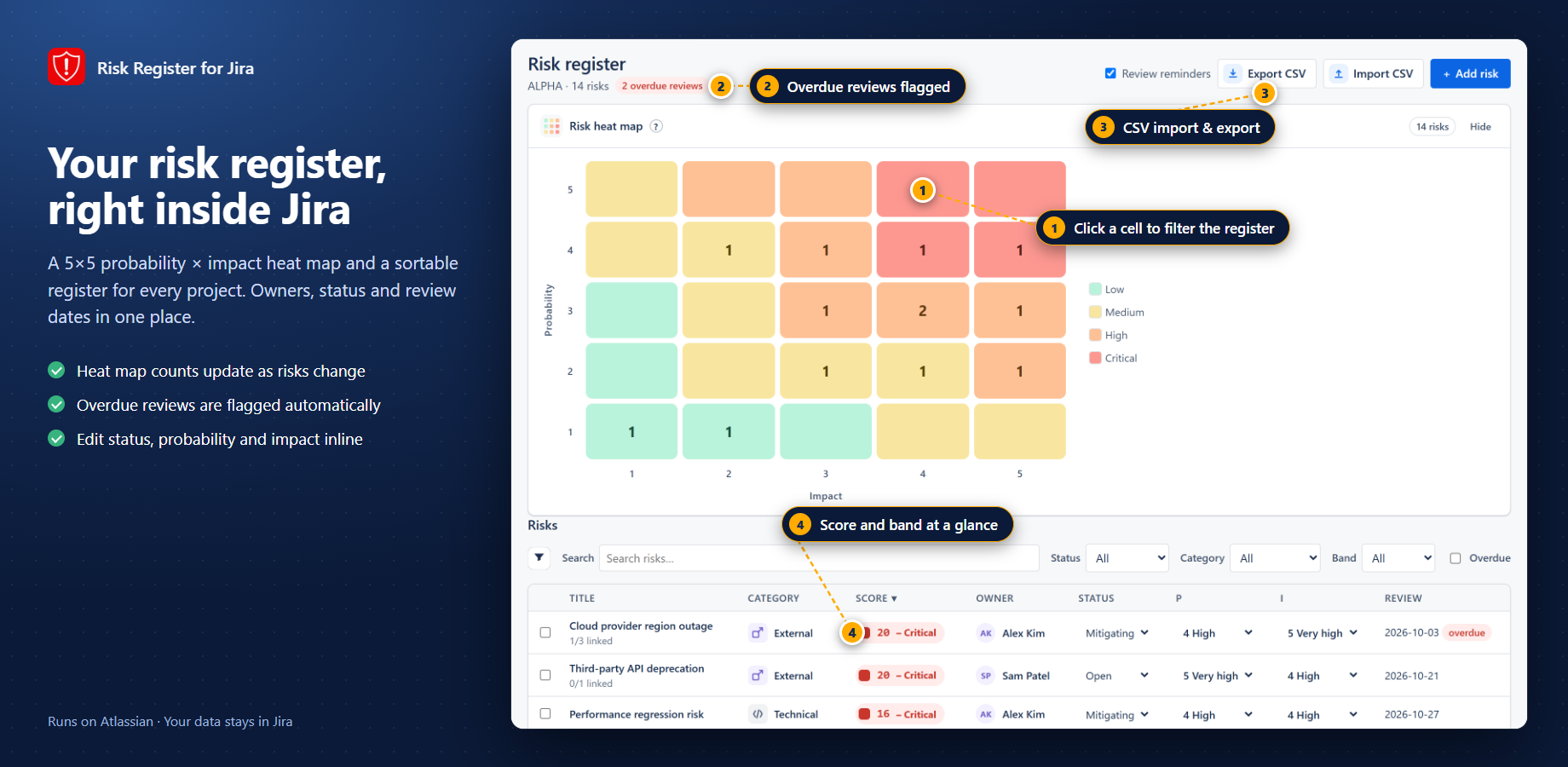
A 5×5 risk register on the project — score probability × impact, keep an audit trail, import CSV, and see a portfolio heat map across projects.
Get started
Risks live next to the Jira work
I built Risk Register so you can capture risks once on the project — score them on a 5×5 probability × impact matrix, choose avoid / mitigate / transfer / accept, set a next-review date, and keep an audit trail — without a separate spreadsheet.
Use the project Risk Register for day-to-day capture, the issue panel when a risk belongs with a work item, and the portfolio / global view for a combined heat map across projects you can access. Admins configure shared settings from Risk Register settings.
There is no external server in the path. The app is Forge on Jira Cloud. Scopes: read:jira-work, write:jira-work, read:jira-user (display names for owners/assignees), and storage:app for register records, audit trail, and settings. No permissions.external egress — customer data stays in Atlassian Forge storage / Jira.
When teams open the register
- Project risk log — add risks on the project page, score them, and track response + next review.
- Import an existing list — CSV dry-run then import so you are not retyping a spreadsheet.
- Portfolio review — open the global 5×5 heat map, filter by category / band / status, drag a risk onto a cell to re-score.
- Work-item context — use the issue panel when a risk should sit next to the Jira work it affects.
Install from the Atlassian Marketplace
- Open the Atlassian Marketplace listing for Risk Register for Jira (Jira Cloud): https://marketplace.atlassian.com/apps/105833099/try?hosting=cloud.
- Choose your site and install. A site admin must approve the scopes (
read:jira-work,write:jira-work,read:jira-user,storage:app). - Optional: open Apps → Risk Register settings for site-wide defaults.
- Open a project → Apps → Risk Register (or the project app tab). Use guided setup if this is the first register on that project.
Jira Cloud only. No Data Center / Server. Risk records stay in Forge storage on your site — there is no export of customer risk data to my servers.
Explore the docs
What it does and how to use each part
Configuration & adminAdmin setup, scopes and settings
Pricing & licensingFree tier, per-user pricing, trial
Privacy & securityData handling, policies, Runs on Atlassian
FAQ & troubleshootingCommon questions, smoke tests, support
Release notesWhat changed in each version