Apps for Jira Cloud
Berkly Time in Status for Jira
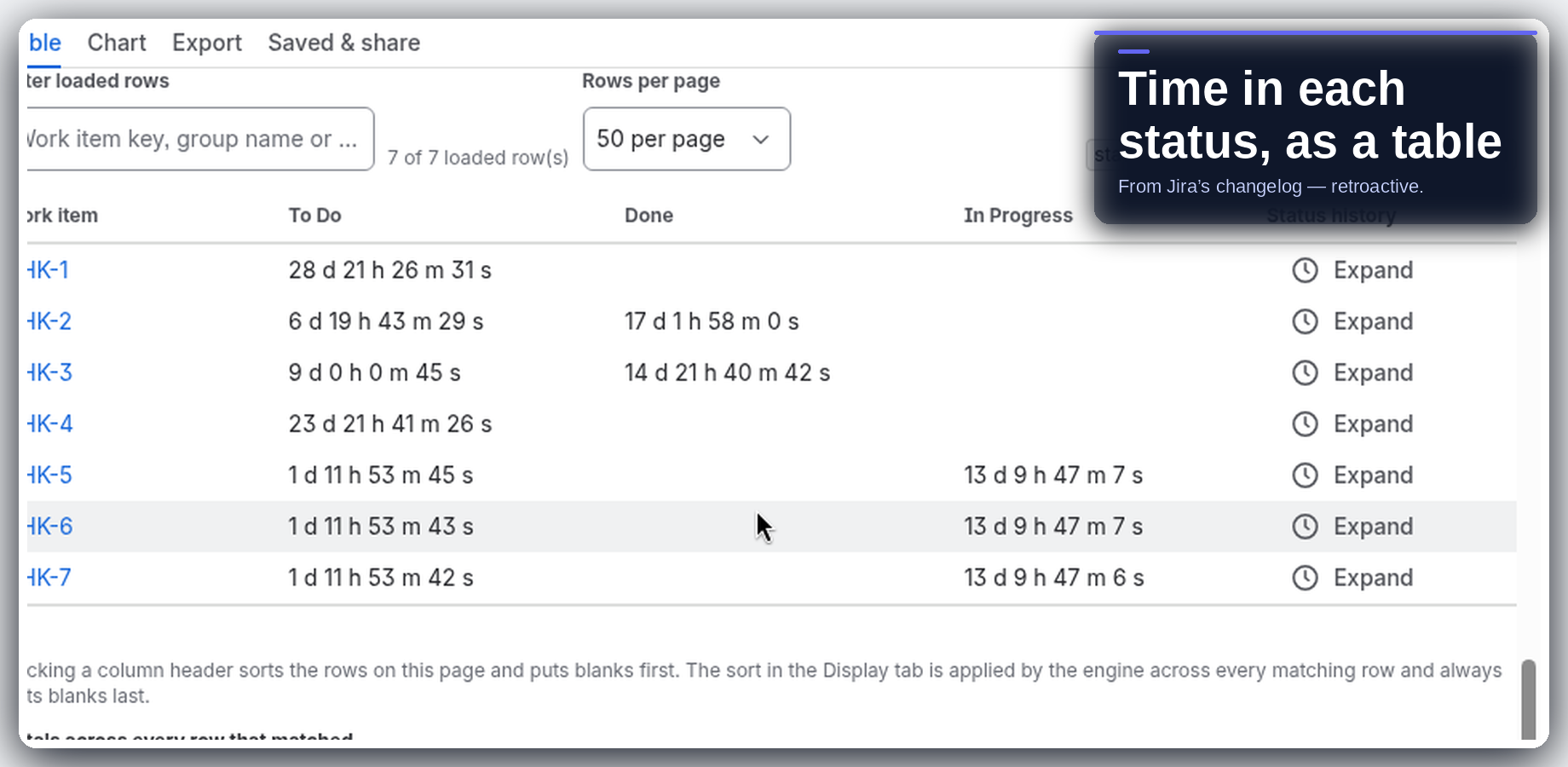
See how long work items spend in each status, from the Jira history you already have.
Runs on Atlassian · Your data stays in your Jira site
Free for up to 10 users · larger sites pay through Atlassian · see current pricing on the Marketplace listing
- Install from the Marketplace (a site admin approves the scopes)
- Open the project report and see average and median time per status
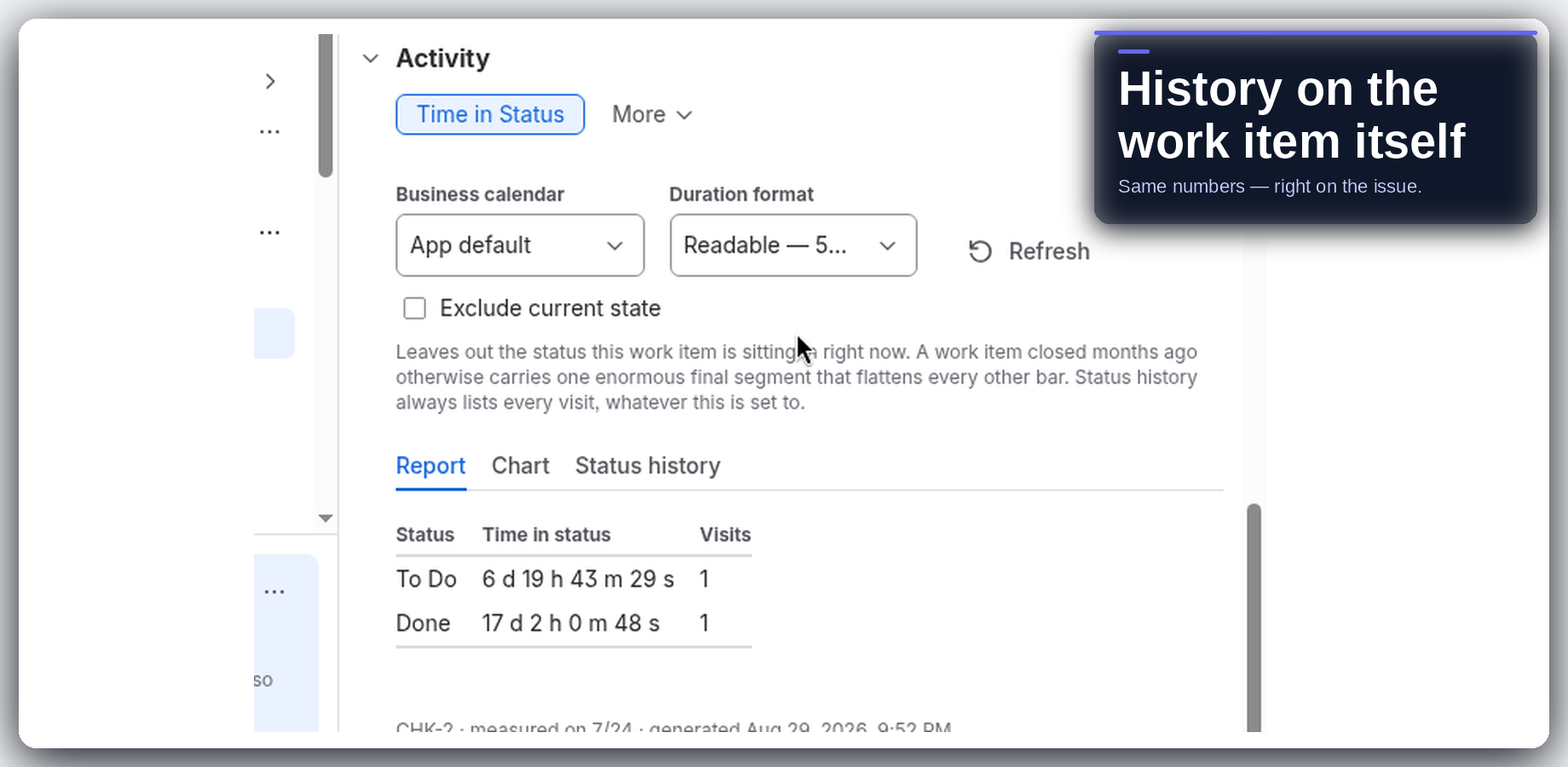
- Open any work item and check its status history in Activity
01 — What it does
Find where work waits
- Time in every status. Average and median time per status, one row per work item. Open work is flagged “still in this status”.
- Retroactive. Built from the native Jira changelog, so past work is covered on day one.
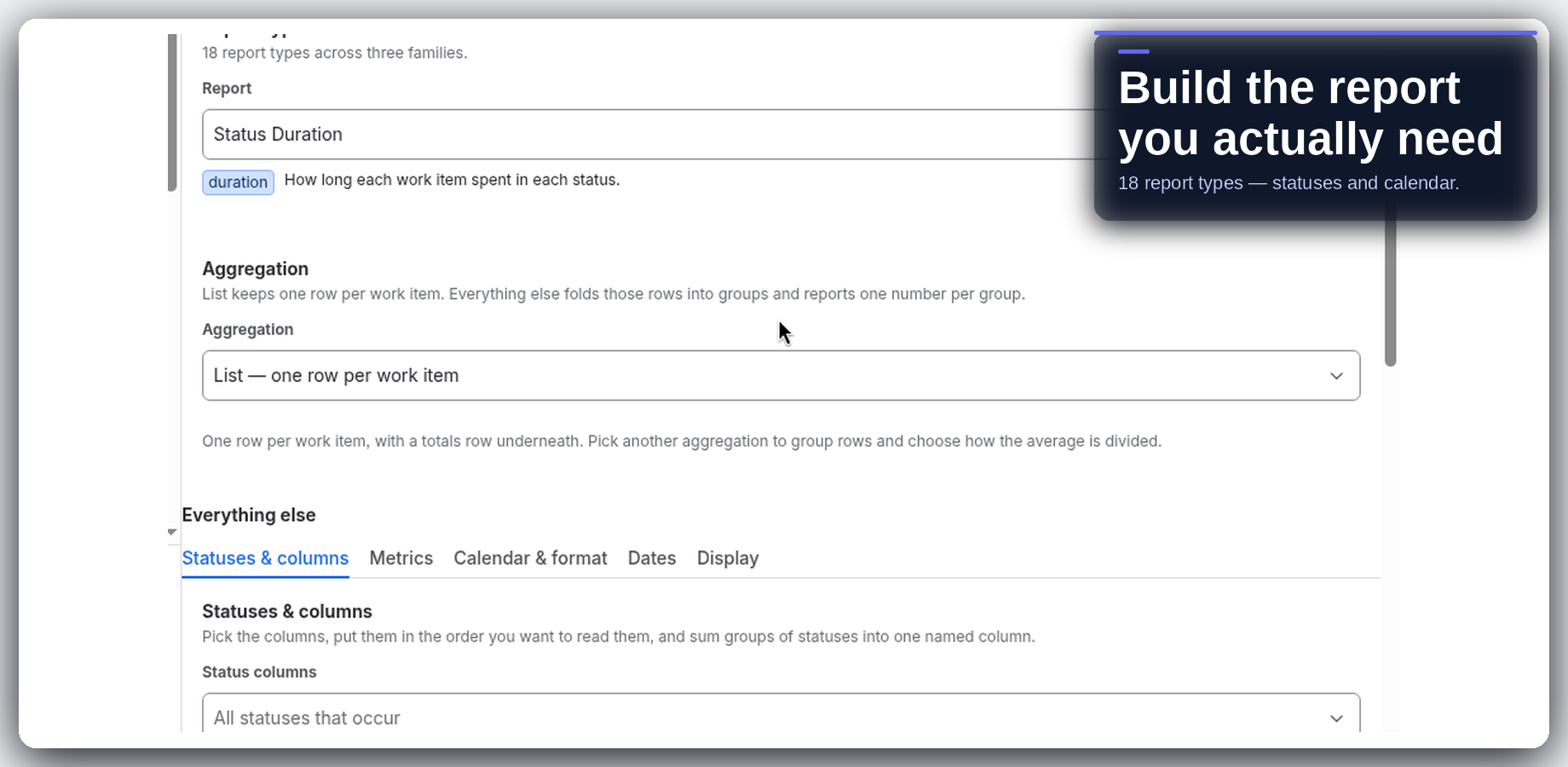
- 17 report types in one builder: durations, counts and dates across statuses, assignees, user groups, any field and calendar periods.
- Lead time and cycle time out of the box, or your own start and stop points with pause statuses.
- Work item history. Every visit, how long it stayed, where it came from and went to, including rework loops.
- Working time. Business calendars with time zones, working windows, holidays and half days.
- Charts. Pie, bar, column, line, stacked or clustered, in one click.
- Export and share. CSV or Excel export, saved reports, a dashboard gadget and a JQL field.
02 — Guides
How-to guides
03 — FAQ
Common questions
Is Berkly Time in Status for Jira free?
Yes, for up to 10 users. Above 10 users you pay through Atlassian. The pricing tab on the Marketplace has the current numbers.
Does it work on issues created before I installed it?
Yes. Reports are built from the Jira changelog you already have, so past work is covered on day one. There is no collection period.
Can I count only working hours?
Yes. Business calendars support time zones, working windows, holidays and half days. Daylight saving is handled for you.
Can I get lead time and cycle time?
Yes, out of the box. You can also set your own start and stop points and pause statuses.
Can I export the numbers?
Yes. Export any report to CSV or Excel, with decimal-hour columns a spreadsheet can sum. You can save a report and share it with everyone who can open the app.
Where does my data go?
The app runs on Atlassian. Your issue data stays in your Jira site.
Which Jira does it support?
Jira Cloud only.
How do I get help?
Email info@berkly.nl.
04 — Get it
Bring Time in Status to your Jira
Try Time in Status free · ≤10 users
Marketplace listing: Berkly Time in Status for Jira. Questions: info@berkly.nl. More apps: all Berkly apps · docs.