Docs/Custom Fields for Jira/Configuration & admin
Custom Fields for Jira
Configuration & admin
Admin setup, scopes and settings
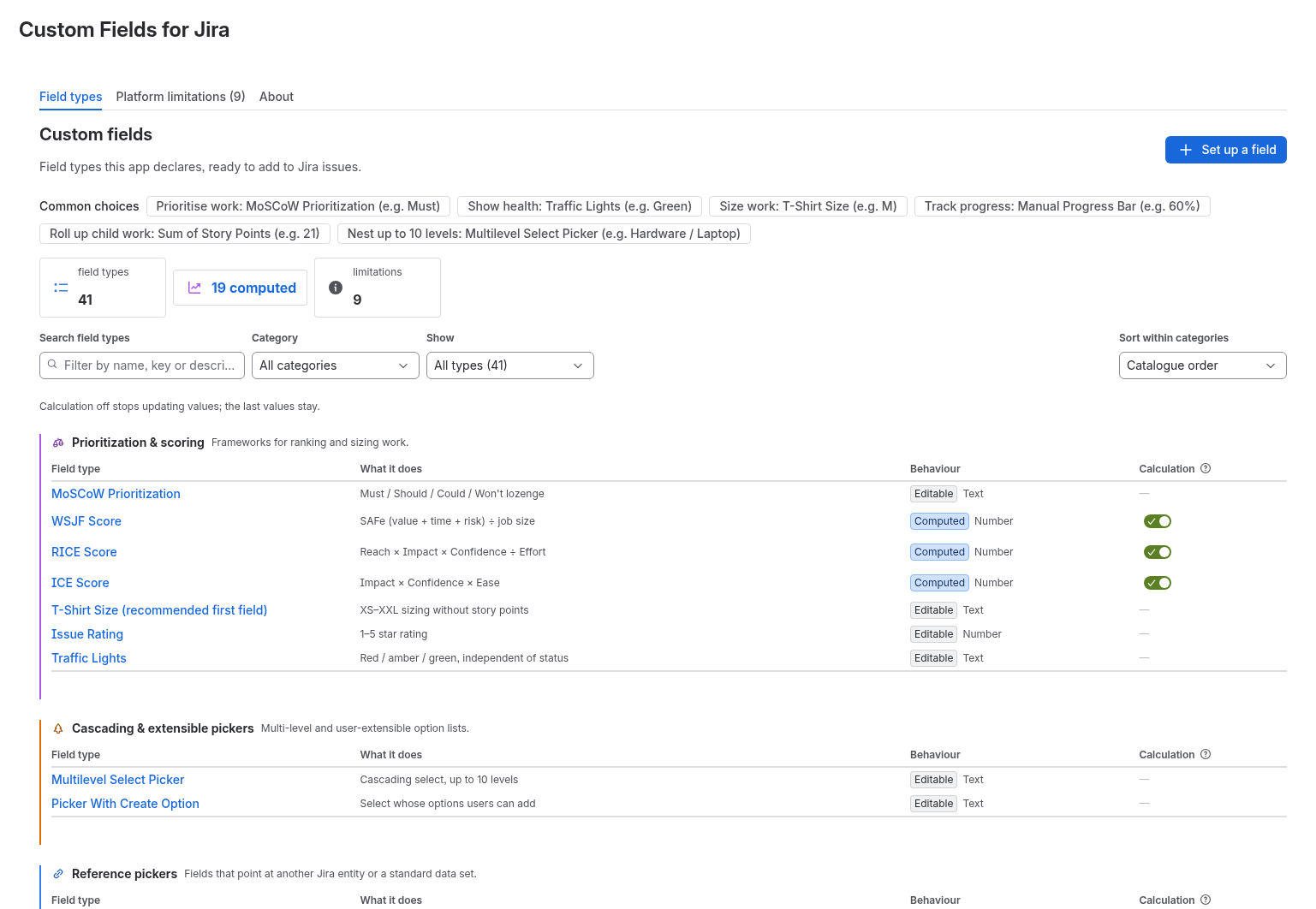
The field types are ready as soon as the app is installed. You add a field the normal Jira way, and the app's admin page shows every type it offers and lets a Jira admin switch calculations on or off.
Open the admin page
- As a Jira admin, open Jira settings, then Apps (Manage apps).
- In the sidebar under Apps, pick Custom Fields for Jira. The Configure button next to the app in Manage apps opens the same page.
Admin page tabs
All 41 field types grouped by category, with search, a category filter and a filter for computed types. Open a type to see what it adds, a sample value, where it appears and how to add it.
The nine things Jira Cloud does not let any app change, listed up front so you know before you build on a field.
What the app is and a shortcut to set up your first field.
Add a field to Jira
- Press Set up a field on the admin page, or open the field type you want.
- Follow the steps it shows to create the field in Jira custom fields and add it to a screen. The app does not create the field for you.
- Open a work item and fill in or read the new field.
Calculation switches
19 of the 41 types are computed, for example WSJF, RICE and ICE scores. Each has a Calculation switch. On, the value is recomputed when the work item is opened. Off, the app stops recomputing and the last stored values stay on the work item; nothing is cleared.
Permissions the app asks for
On install Jira shows these scopes: read:jira-work, write:jira-work, read:issue.changelog:jira, read:jira-user and storage:app. The app runs on Atlassian Forge.
Screenshot