Docs/Berkly Admin Toolkit/Features & how-to
Berkly Admin Toolkit
Features & how-to
What it does and how to use each part
See your whole Jira site in one app
- Overview. Site health at a glance: projects, work items, custom fields, trash, top findings, and a one-click audit report export.
- Projects. Inventory of every project — type, lead, work items, last update, and schemes — with empty and unowned projects called out, plus the recycle bin.
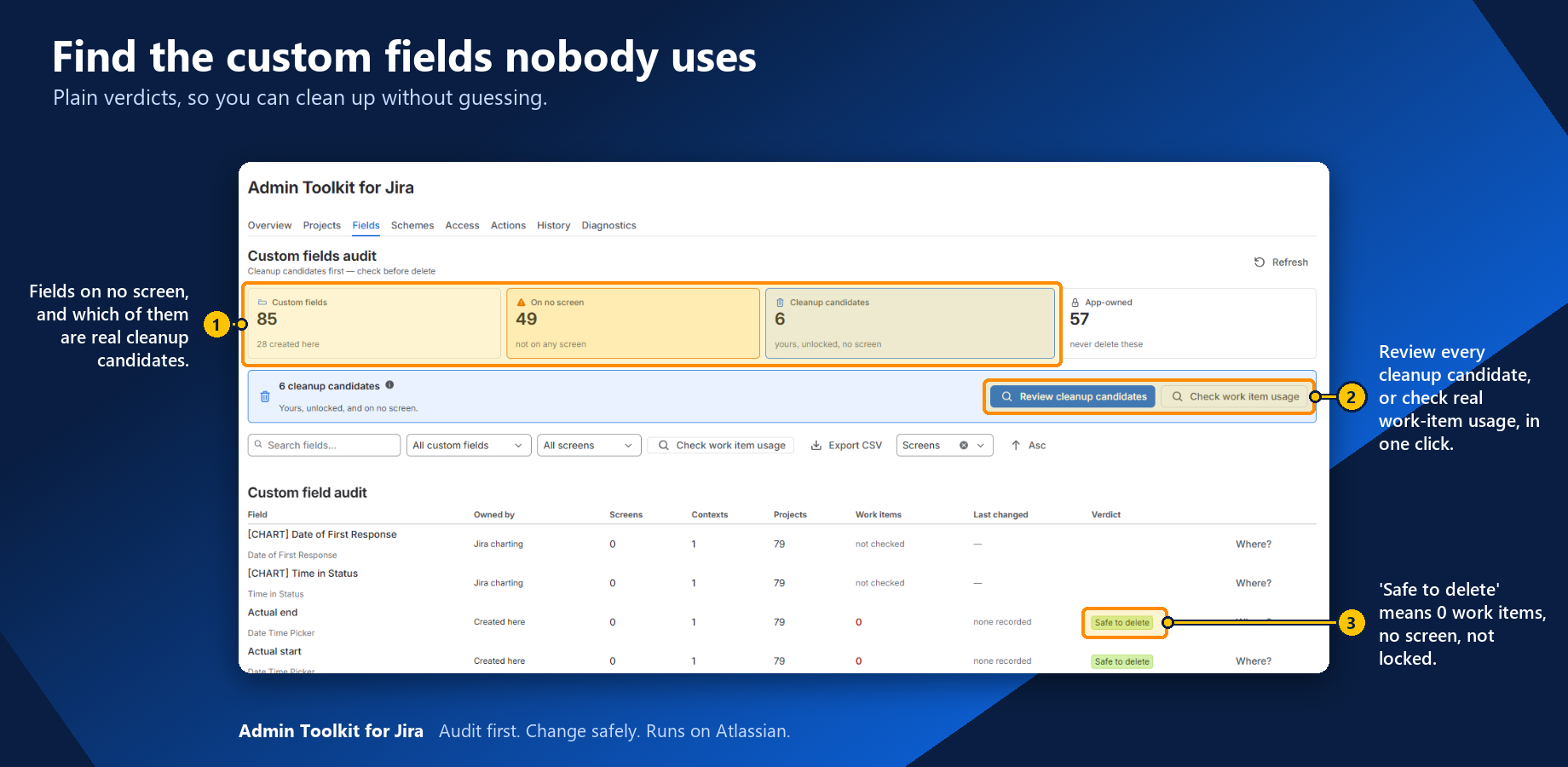
- Fields. Which custom fields sit on no screen, who owns each one, and — on demand — how many work items hold a value.
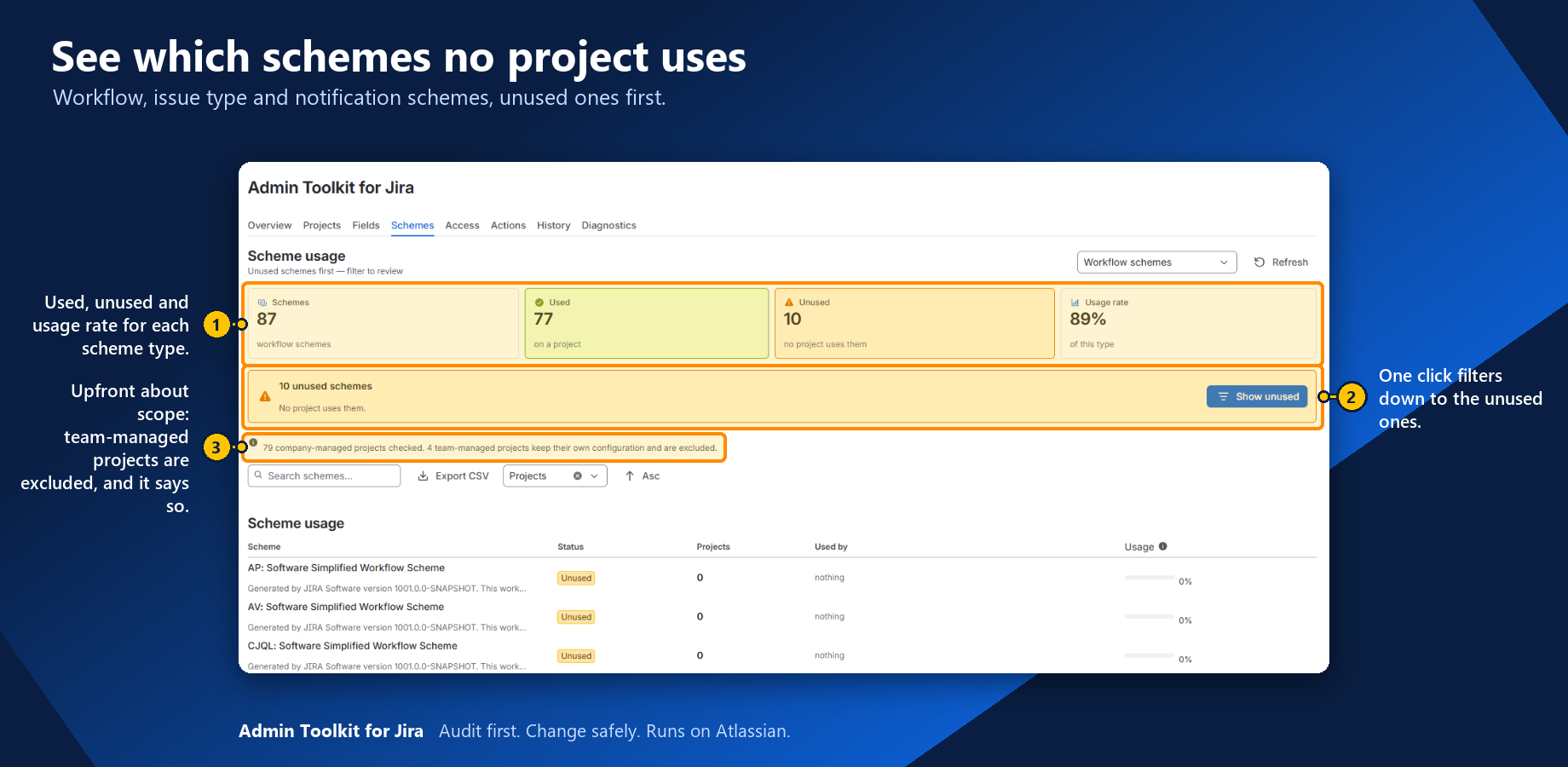
- Schemes. Workflow, issue type, notification and permission schemes; unused ones first. Team-managed projects are left out of scheme usage so counts stay honest.
- Access. Which groups grant admin access, which groups are empty, and what a permission scheme grants to whom.
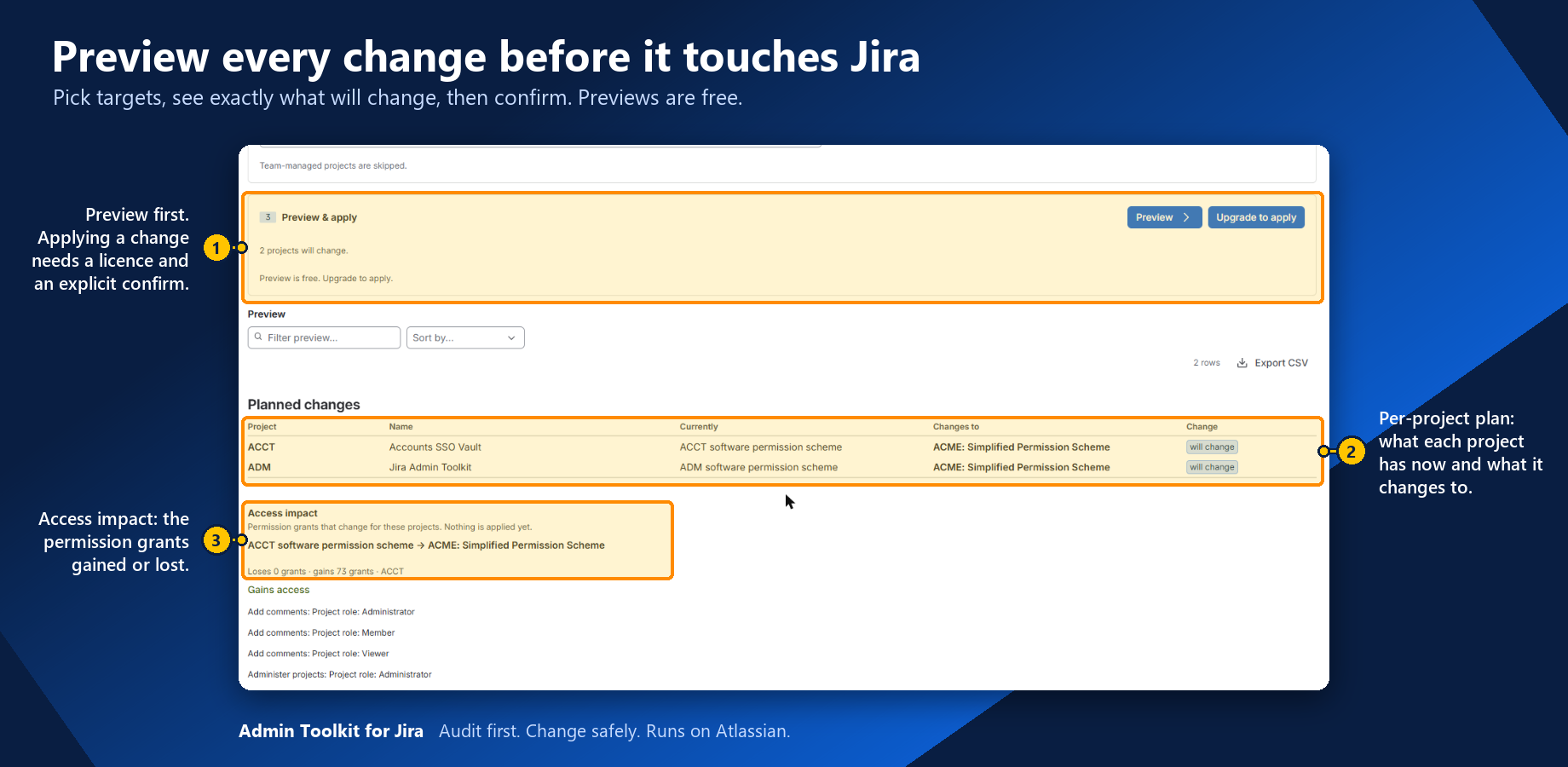
- Actions. Bulk changes that work — preview, confirm, apply — plus an explicit list of the ones that do not, and why.
- History. Every change the app has applied, who applied it, and what failed. Searchable and exportable.
- Diagnostics. Every Jira endpoint the app depends on, and whether it works on this site.
- Project summary & work item panel. One project’s schemes, field context and access; the same summary from a work item.
- Safe by default. Seven of the eight admin tabs are read-only. Every write is previewed, confirmed and recorded in History.
Screenshots