Docs/Project Directory for Jira/Features & how-to
Project Directory for Jira
Features & how-to
What it does and how to use each part
Table, cards, search, and filters
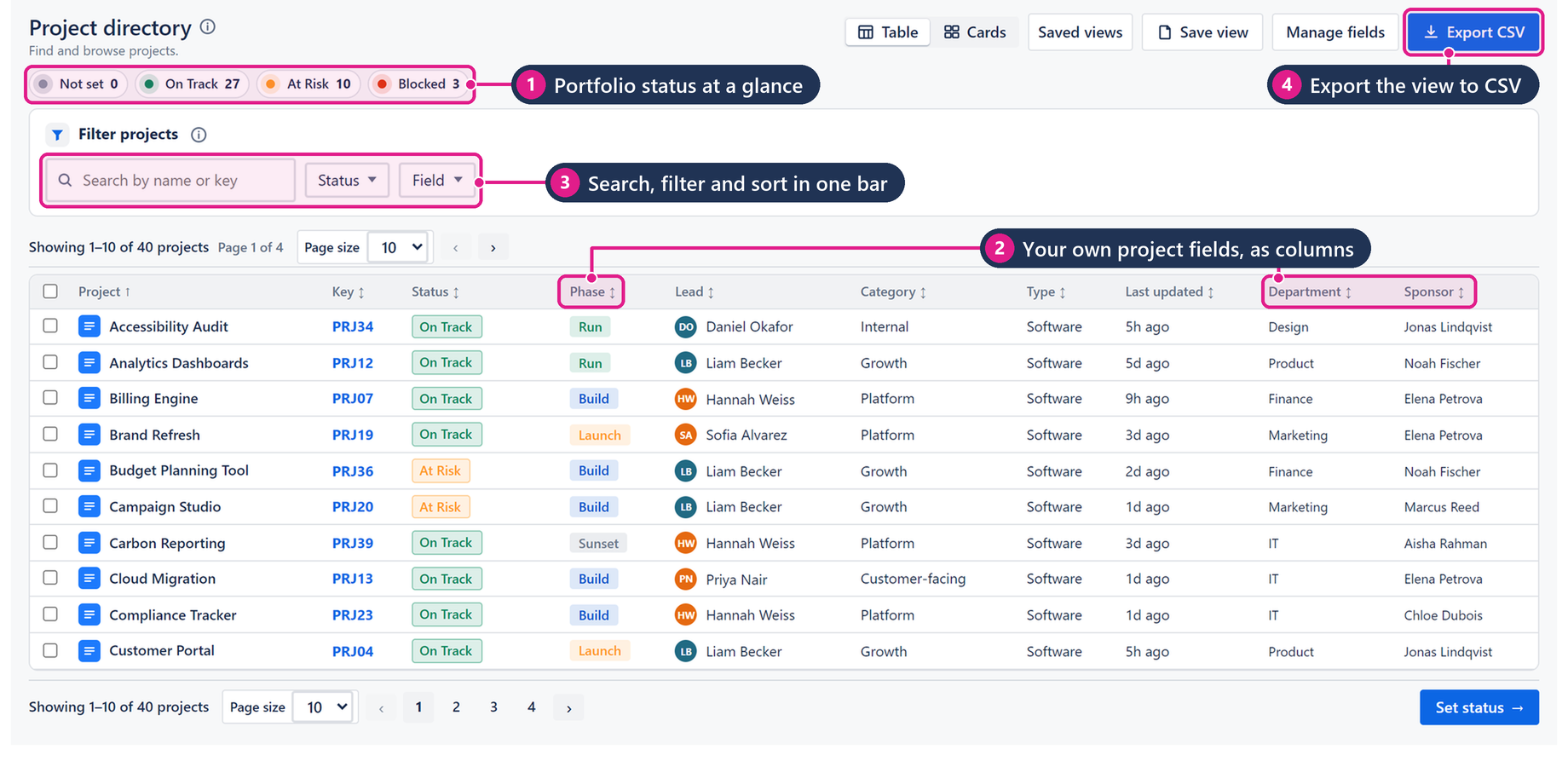
Browse, filter, save, export
- Open Project Directory from Apps.
- Use Table for dense columns or Cards for a visual scan.
- Type in search to match name or key. Add a field filter when the list is long.
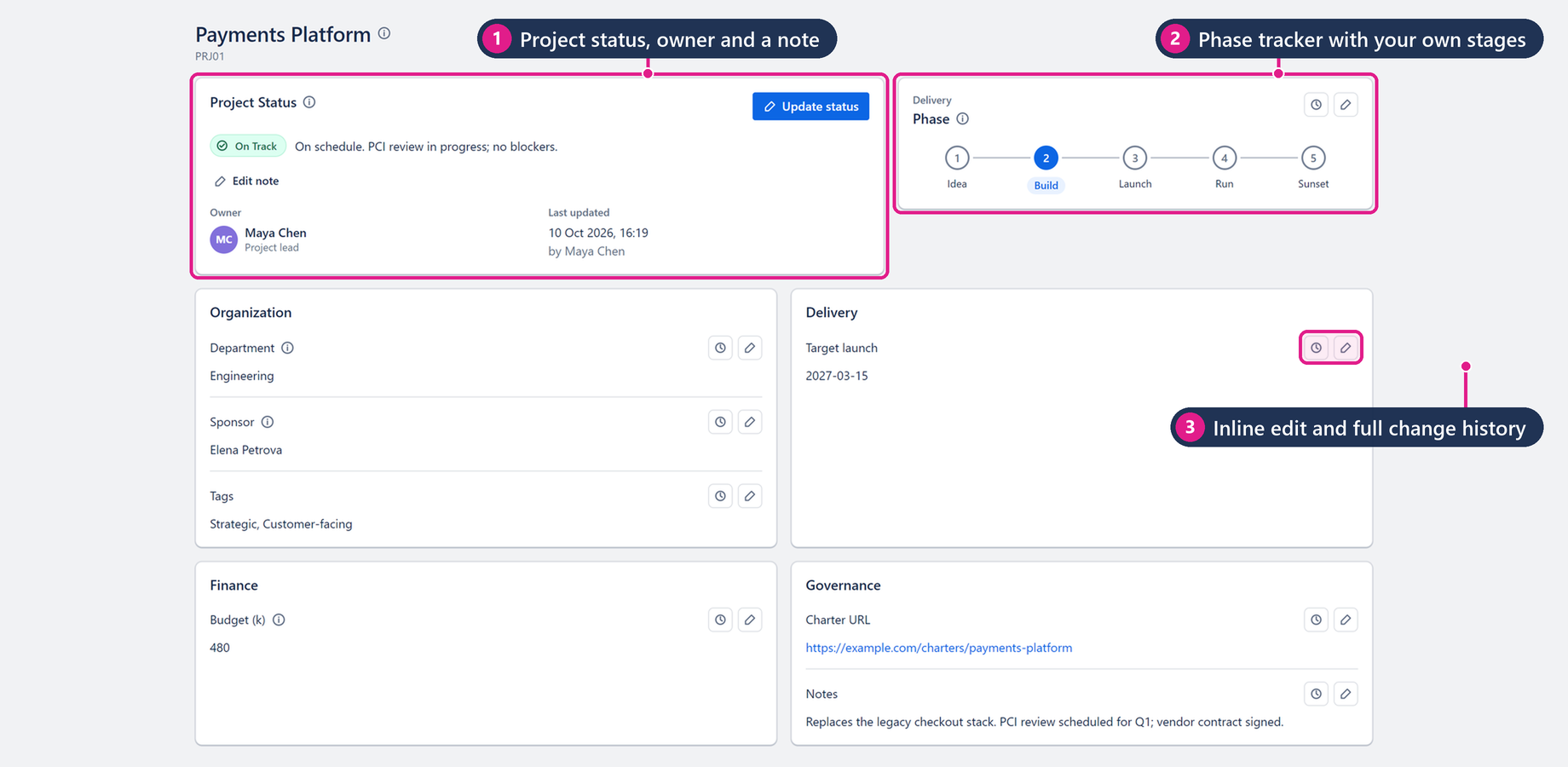
- Update status / lead fields where the UI allows so the directory reflects how the portfolio is actually running.
- Save a view you reuse for weekly reviews. Export CSV when you need an offline snapshot.
Important notes
- Empty results usually mean permissions or filters — clear filters and confirm you can open the same projects in Jira.
- Status summary (On Track / At Risk / Blocked / Not set) counts the filtered set currently on screen.
Screenshots